dsh-desktop
DSHDesktop:DeepSeek Harness Desktop
A local-first, cross-platform desktop shell for DeepSeek Harness.
English · 简体中文 · 日本語 · Русский · Español · Português
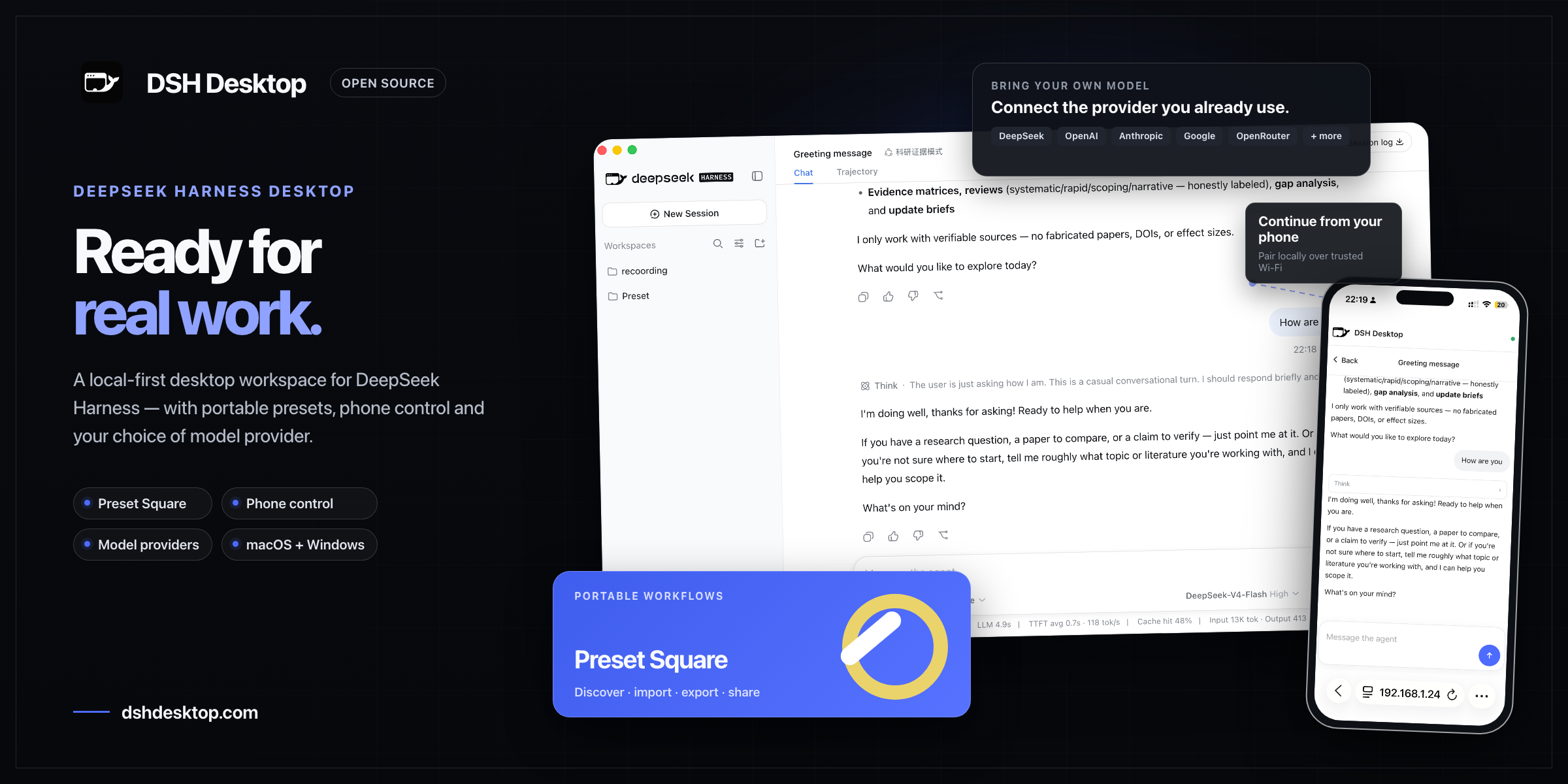
Beyond official DeepSeek models, DSH Desktop supports mainstream third-party model providers—with more DSH-powered desktop experiences coming soon.
DSH Desktop packages the local DeepSeek Harness web experience as a desktop application. It launches a local Harness instance automatically, manages a random loopback port, persists profiles, plugins, and sessions, and opens the full interface as soon as Harness is ready. Project workspaces are added and managed entirely in the Harness interface.
[!IMPORTANT] DSH Desktop is currently an early preview and depends on the rapidly evolving
@deepseek-ai/dsh@0.1.1-rc.1. macOS releases are code-signed and notarized by Apple; current installers are distributed through the official website.
Download
Download DSH Desktop for macOS and Windows from the official website.
Installed macOS and Windows builds check for updates automatically after startup and every six hours. Updates download in the background and prompt you to restart when they are ready. You can also choose Check for Updates… from the application menu.
Community
Scan the QR code below with WeChat to join the DSH Desktop community group. Prefer Discord? Join the DSH Desktop Discord community.
Why this project exists
DeepSeek Harness already provides a complete agent runtime and Web UI. DSH Desktop does not reimplement Harness; it supplies the host capabilities needed for a desktop product:
- Run without manually starting a CLI or managing local ports
- Create an application-owned Harness launch directory automatically at startup
- Add and manage project workspaces through Harness's built-in directory picker
- Manage the Harness child process, readiness checks, logs, and shutdown in one place
- Store profiles, plugins, and sessions outside the application installation directory so upgrades do not remove user data
- Provide packaging entry points for macOS and Windows
Features
- Opens directly into Harness without an additional landing page
- Starts without an initial directory prompt by creating and reusing an internal launch directory
- Offers retry, log viewing, and exit actions when Harness fails to start
- Provides Harness menu actions for restarting the child process and viewing its log
- Gracefully terminates the Harness child process when the desktop app exits
- Listens only on a random
127.0.0.1port for each launch - Removes Node.js privileges from the renderer and enables
contextIsolation, sandboxing, and navigation restrictions - Uses the DSH brand logo consistently in the desktop window and Harness sidebar
- Imports and exports complete custom Agent presets as portable
.dshpresetpackages, with conflict checks and a trust warning before installation - Includes a production DSH app icon in macOS ICNS and Windows ICO formats
Friends
같은 카테고리 다른 리소스
Next.js
React 기반 풀스택 프레임워크. App Router와 서버 컴포넌트(RSC)가 사실상 표준이며, SSR·SSG·ISR을 한 프로젝트 안에서 다룬다.
shadcn/ui
복사·붙여넣기 방식의 React 컴포넌트 모음. npm 의존성이 아닌 코드 소유권 모델이라 커스터마이징이 자유롭다.
Supabase
PostgreSQL 기반 BaaS. Auth · Realtime · Storage · Edge Functions 통합.
Anthropic MCP
Claude가 외부 도구/데이터에 접근하도록 해주는 프로토콜 표준. 생태계의 근간.