solid-glass
A design system for AI applications. Material, physical, tactile, technical.
Solid Glass
The style · Install · What is here · Contributing
A refined glass-inspired aesthetic that feels solid from afar and reveals its subtle materiality up close. Delicate highlights, fine borders, and soft shadows create depth, while a restrained finish emphasizes clarity, stability, and a sense of solidity over transparency, refraction, and fluidity.
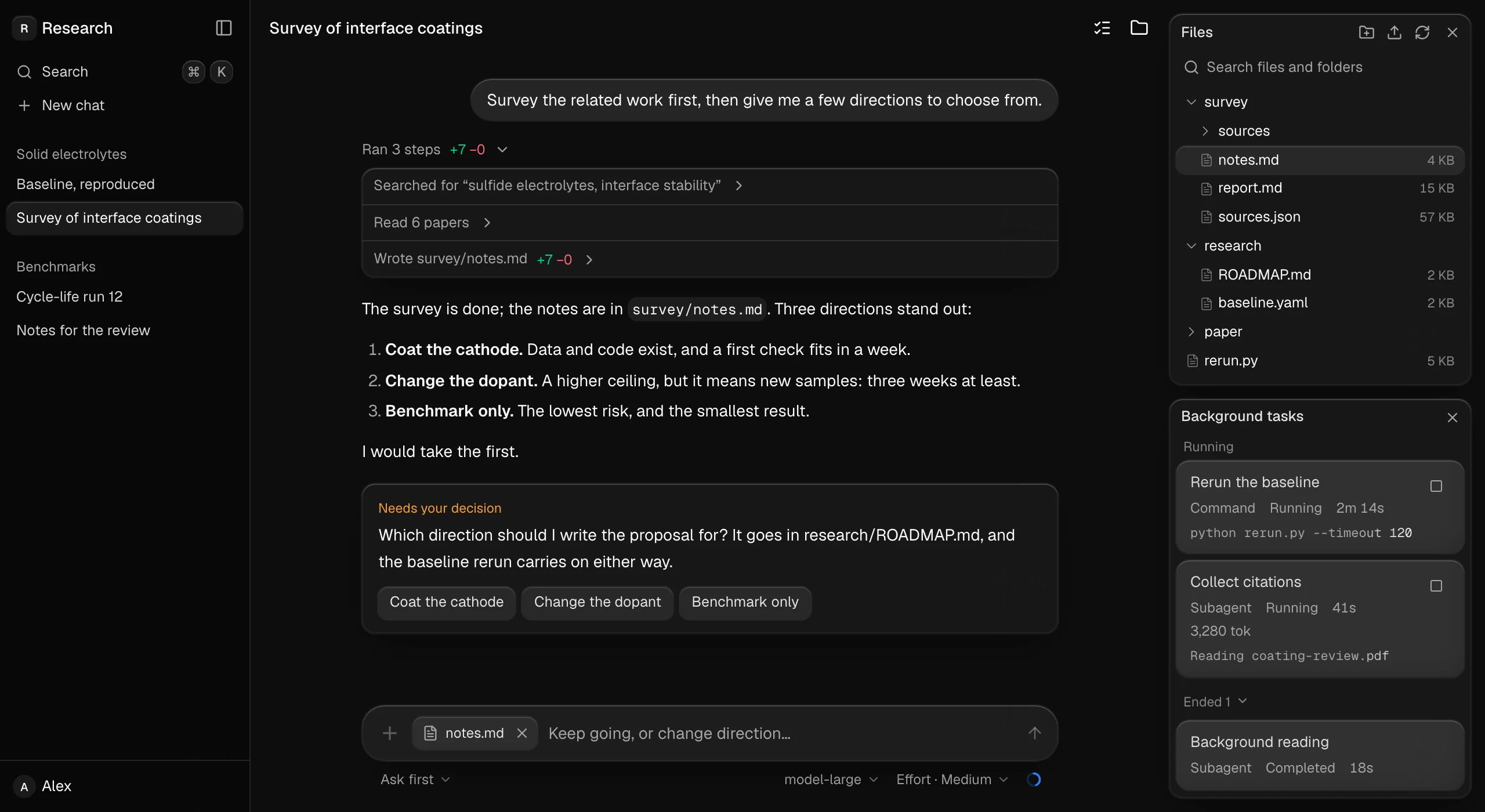
That is one of the blocks: whole screens made of the components, to look at, read and copy in. Below, the components themselves.
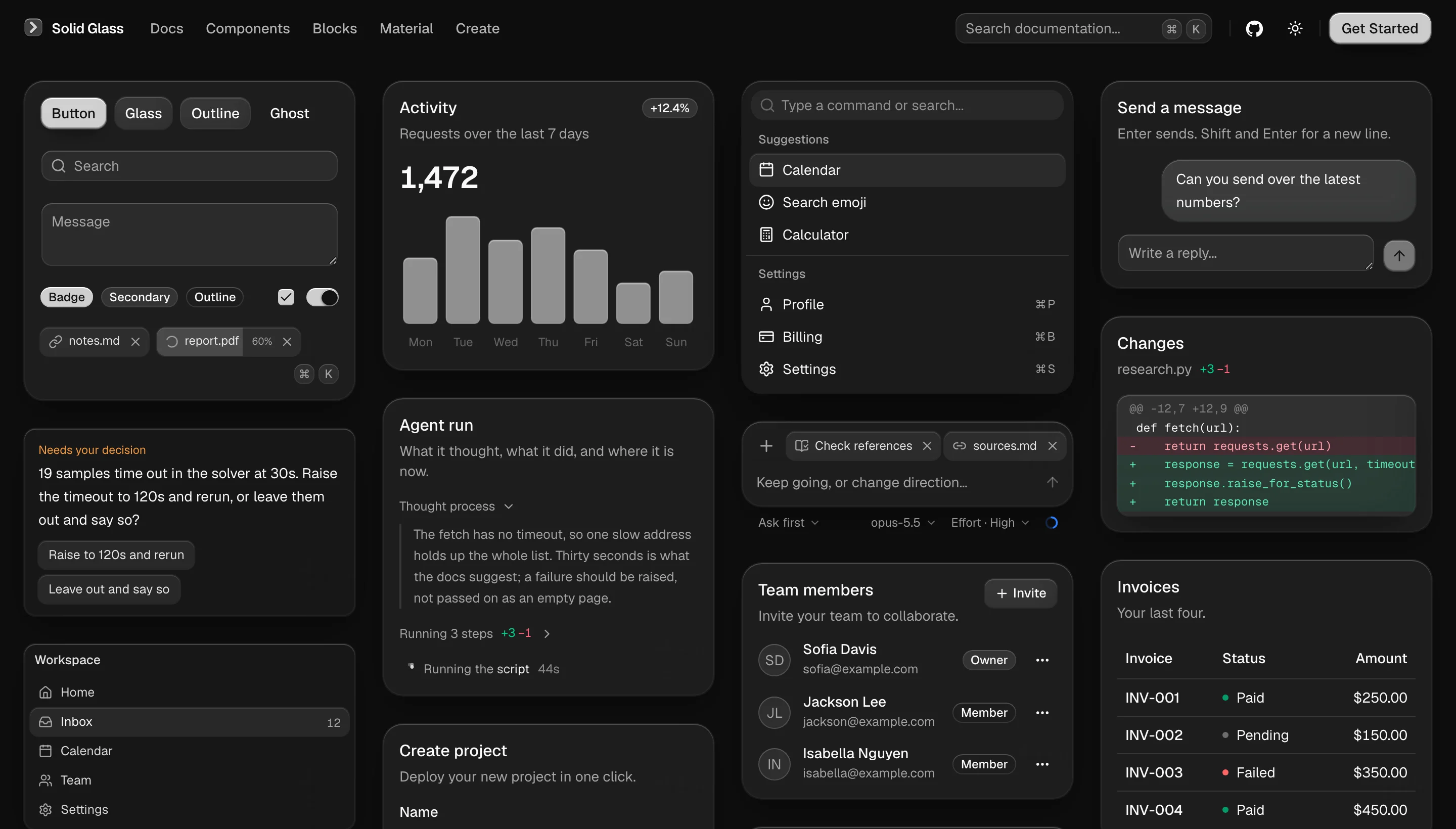
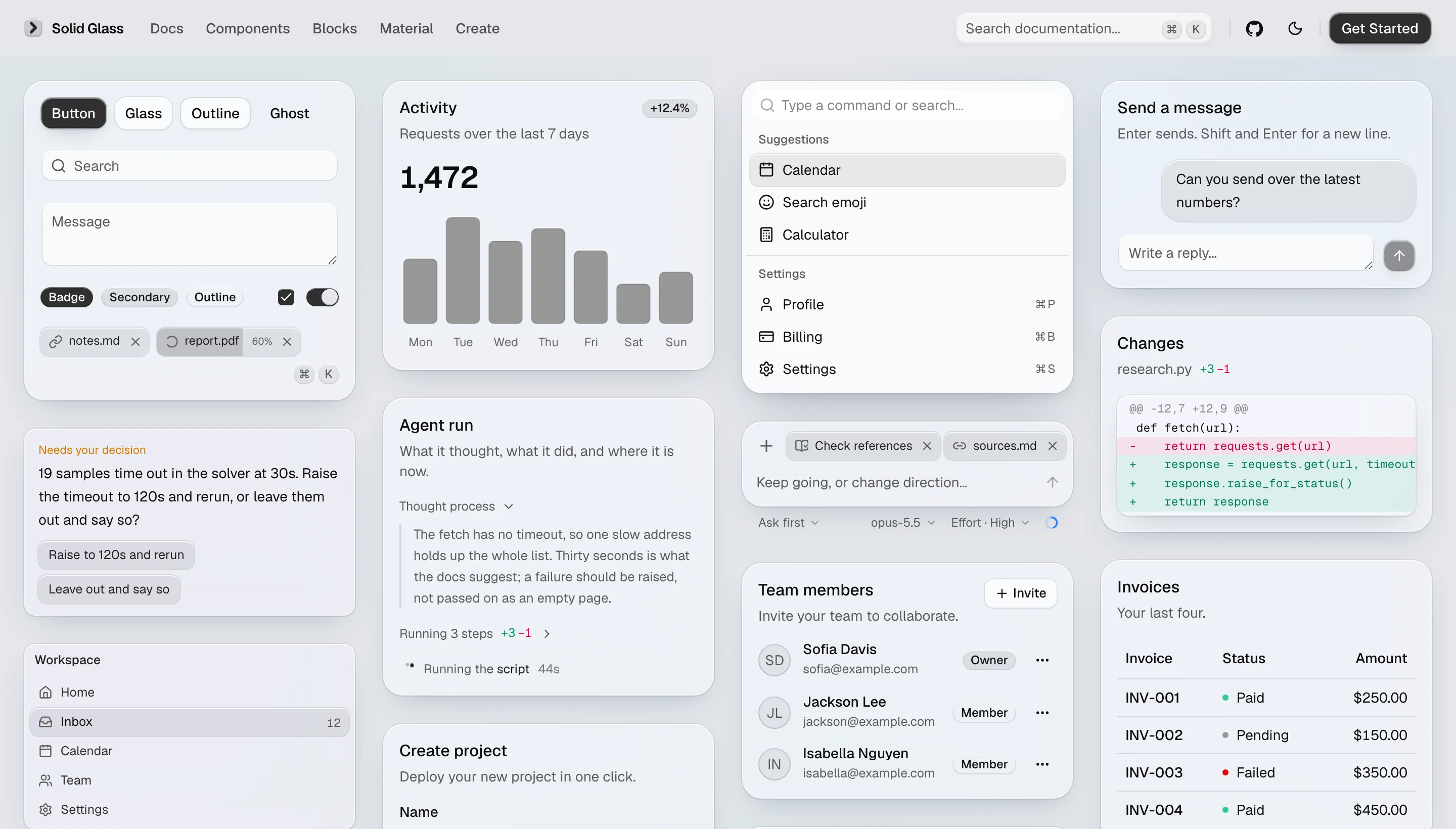
It stands between flat design and liquid glass. Flat is an opaque block with no finish to speak of; liquid glass is nearly clear, and on a page with a lot of text the reader is always fighting the background for the words. Solid Glass lets only an outline through: enough to know it is glass, not enough to get in the way of reading.
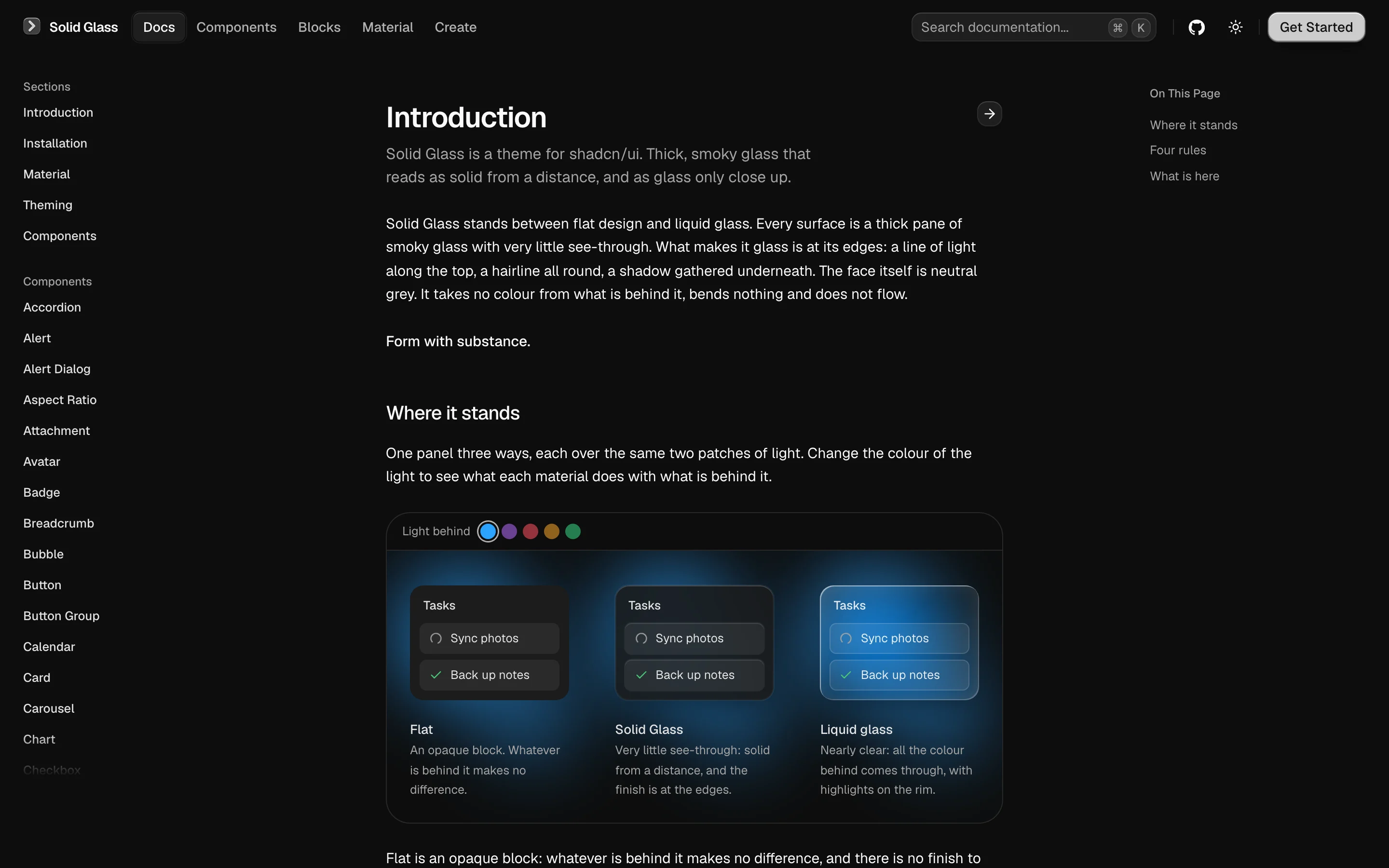
The style
| Tactility | Interfaces that feel tangible. Every interaction carries a subtle sense of touch and response. |
| Precision | Clean geometry, refined details, and restrained lighting create a precise, technical aesthetic. |
| Physicality | Depth comes from thickness, shadow, and spatial hierarchy, giving every element a sense of physical presence. |
| Materiality | Subtle edge highlights, fine borders, and soft shadows define the character of each surface. |
Why it is built this way
AI applications are built around information that is constantly changing — responses streaming in, agents performing tasks, and decisions waiting for human input.
Solid Glass keeps the interface calm and readable. Neutral surfaces reduce visual distractions, depth establishes hierarchy, and color and motion are reserved for meaningful feedback.
The entire system is built with lightweight CSS and works with existing shadcn/ui components in both light and dark modes.
The Material page shows how a pane is made, and the Create page lets you turn the dials.
Install
Solid Glass is one stylesheet. It finds each part of a shadcn/ui component by the data-slot and
the classes it already carries, so the components you have need no changes.
Start from a shadcn/ui project (React 19, Tailwind CSS 4, the Base UI components):
npx shadcn@latest init
Add the stylesheet, straight from this repository:
npx shadcn@latest add deeplethe/solid-glass/solid-glass
Import it after Tailwind and shadcn's stylesheet, and delete the :root and .dark colour
variables that shadcn init wrote (Solid Glass defines the same names):
@import "tailwindcss";
@import "tw-animate-css";
@import "shadcn/tailwind.css";
@import "./solid-glass.css";
같은 카테고리 다른 리소스
Next.js
React 기반 풀스택 프레임워크. App Router와 서버 컴포넌트(RSC)가 사실상 표준이며, SSR·SSG·ISR을 한 프로젝트 안에서 다룬다.
shadcn/ui
복사·붙여넣기 방식의 React 컴포넌트 모음. npm 의존성이 아닌 코드 소유권 모델이라 커스터마이징이 자유롭다.
Supabase
PostgreSQL 기반 BaaS. Auth · Realtime · Storage · Edge Functions 통합.
Anthropic MCP
Claude가 외부 도구/데이터에 접근하도록 해주는 프로토콜 표준. 생태계의 근간.