ai-website-cloner-template
AI 코딩 에이전트로 어떤 웹사이트든 명령 하나로 복제합니다.
AI Website Cloner Template
A reusable template for reverse-engineering any website into a clean, modern Next.js codebase using AI coding agents.
Recommended: Claude Code with Opus 4.6 for best results — but works with a variety of AI coding agents.
Point it at a URL, run /clone-website, and your AI agent will inspect the site, extract design tokens and assets, write component specs, and dispatch parallel builders to reconstruct every section.
Demo
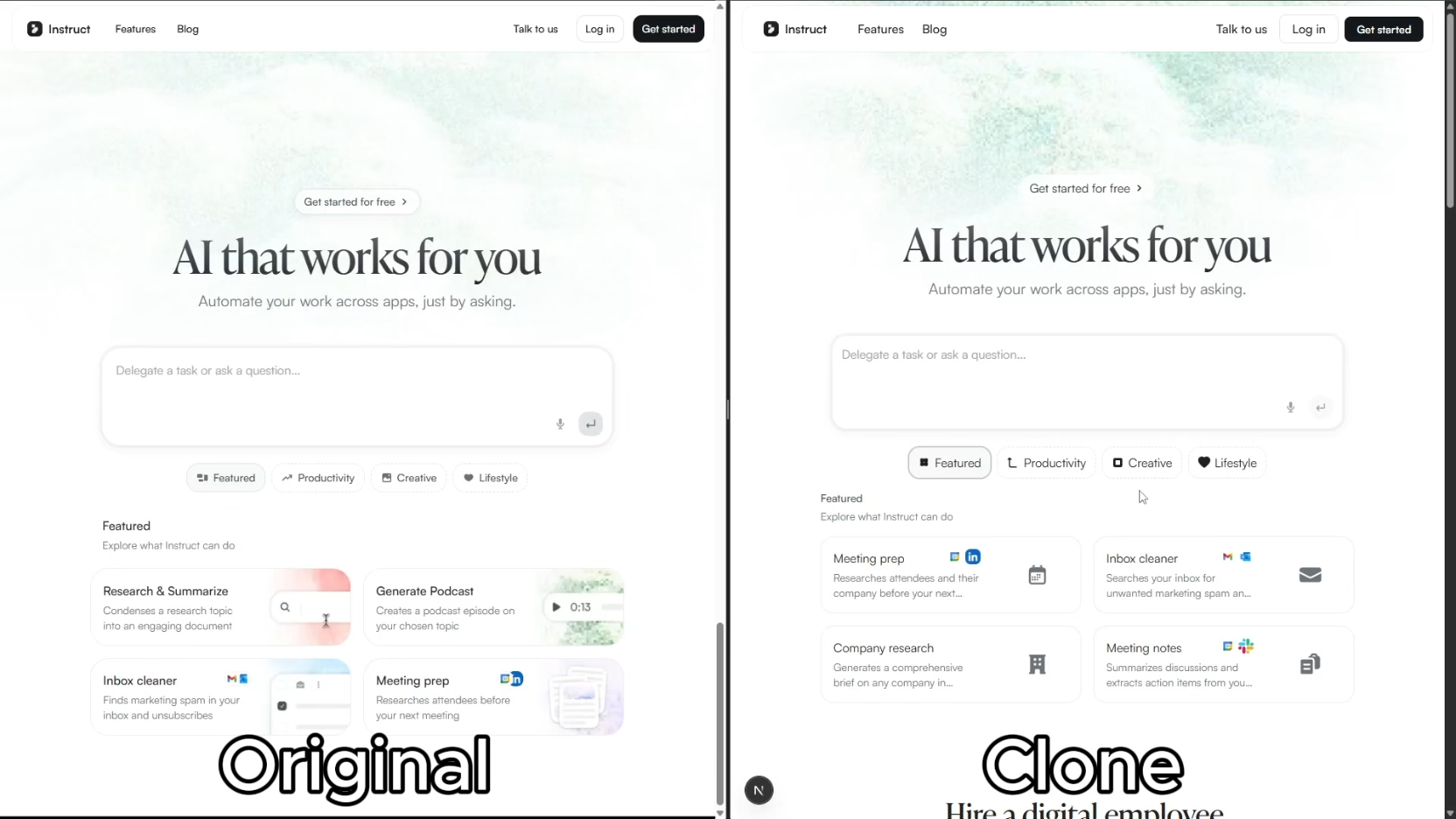
Click the image above to watch the full demo on YouTube.
Quick Start
- Clone this repository
git clone https://github.com/JCodesMore/ai-website-cloner-template.git my-clone cd my-clone - Install dependencies
npm install - Start your AI agent — Claude Code recommended:
claude --chrome - Run the skill:
/clone-website <target-url1> [<target-url2> ...] - Customize (optional) — after the base clone is built, modify as needed
Using a different agent? Open
AGENTS.mdfor project instructions — most agents pick it up automatically.
Supported Platforms
| Agent | Status |
|---|---|
| Claude Code | Recommended — Opus 4.6 |
| Codex CLI | Supported |
| OpenCode | Supported |
| GitHub Copilot | Supported |
| Cursor | Supported |
| Windsurf | Supported |
| Gemini CLI | Supported |
| Cline | Supported |
| Roo Code | Supported |
| Continue | Supported |
| Amazon Q | Supported |
| Augment Code | Supported |
| Aider | Supported |
Prerequisites
- Node.js 24+
- An AI coding agent (see Supported Platforms)
Tech Stack
- Next.js 16 — App Router, React 19, TypeScript strict
- shadcn/ui — Radix primitives + Tailwind CSS v4
- Tailwind CSS v4 — oklch design tokens
- Lucide React — default icons (replaced by extracted SVGs during cloning)
How It Works
The /clone-website skill runs a multi-phase pipeline:
- Reconnaissance — screenshots, design token extraction, interaction sweep (scroll, click, hover, responsive)
- Foundation — updates fonts, colors, globals, downloads all assets
- Component Specs — writes detailed spec files (
docs/research/components/) with exact computed CSS values, states, behaviors, and content - Parallel Build — dispatches builder agents in git worktrees, one per section/component
- Assembly & QA — merges worktrees, wires up the page, runs visual diff against the original
Each builder agent receives the full component specification inline — exact getComputedStyle() values, interaction models, multi-state content, responsive breakpoints, and asset paths. No guessing.
Use Cases
같은 카테고리 다른 리소스
Next.js
React 기반 풀스택 프레임워크. App Router와 서버 컴포넌트(RSC)가 사실상 표준이며, SSR·SSG·ISR을 한 프로젝트 안에서 다룬다.
shadcn/ui
복사·붙여넣기 방식의 React 컴포넌트 모음. npm 의존성이 아닌 코드 소유권 모델이라 커스터마이징이 자유롭다.
Supabase
PostgreSQL 기반 BaaS. Auth · Realtime · Storage · Edge Functions 통합.
Anthropic MCP
Claude가 외부 도구/데이터에 접근하도록 해주는 프로토콜 표준. 생태계의 근간.