worldmonitor
실시간 글로벌 인텔리전스 대시보드. AI 기반 뉴스 집계, 지정학 모니터링, 인프라 추적을 하나의 상황 인식 인터페이스에 통합했습니다.
World Monitor
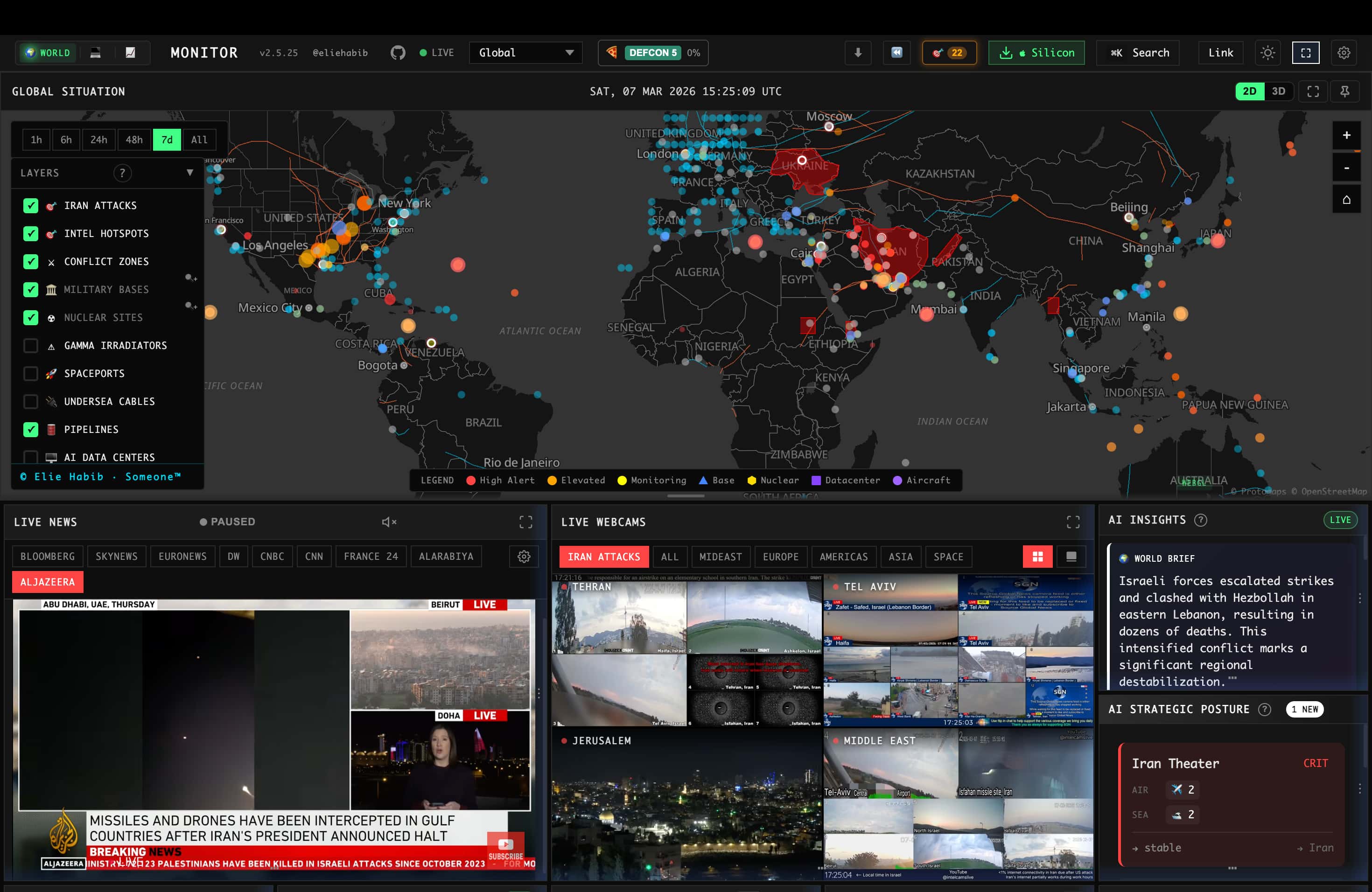
Real-time global intelligence dashboard — AI-powered news aggregation, geopolitical monitoring, and infrastructure tracking in a unified situational awareness interface.
Documentation · Releases · Contributing
What It Does
- 500+ curated news feeds across 15 categories, AI-synthesized into briefs
- Dual map engine — 3D globe (globe.gl) and WebGL flat map (deck.gl) with 56 map layer types
- Cross-stream correlation — military, economic, disaster, and escalation signal convergence
- Country Instability Index (CII) — server-authoritative CII v8 stress scoring for 31 Tier-1 countries
- Finance radar — 29 stock exchanges, commodities, crypto, and 7-signal market composite
- Local AI — run everything with Ollama, no API keys required
- 6 site variants from a single codebase (world, tech, finance, commodity, happy, energy)
- Native desktop app (Tauri 2) for macOS, Windows, and Linux
- 25 languages with native-language feeds and RTL support
For the full feature list, architecture, data sources, and algorithms, see the documentation.
Support Status
All site variants and desktop binaries are built from a single codebase and ship from the same release process. The table below clarifies maintenance status so you know which surfaces are safe to depend on.
| Surface | Status | Notes |
|---|---|---|
worldmonitor.app, tech., finance., commodity., happy., energy. | Stable | Public deployments built from this repo, actively maintained |
| Desktop binaries (Windows / macOS Apple Silicon / macOS Intel / Linux AppImage) | Stable | One Tauri binary that switches variants in-app; current CI release targets are full and tech |
Issues filed against any of the above are triaged from the same backlog — see the issues board for currently-open work.
Quick Start
git clone https://github.com/koala73/worldmonitor.git
cd worldmonitor
npm install
npm run dev
Open localhost:3000 (override the port with DEV_PORT in .env.local). The app runs with no environment variables.
Feature-specific data sources may require credentials. See .env.example for the full list.
For variant-specific development:
npm run dev:tech       # tech.worldmonitor.app
npm run dev:finance    # finance.worldmonitor.app
npm run dev:commodity  # commodity.worldmonitor.app
npm run dev:happy      # happy.worldmonitor.app
npm run dev:energy     # energy.worldmonitor.app
See the self-hosting guide for deployment options (Vercel, Docker, static).
Tech Stack
같은 카테고리 다른 리소스
Next.js
React 기반 풀스택 프레임워크. App Router와 서버 컴포넌트(RSC)가 사실상 표준이며, SSR·SSG·ISR을 한 프로젝트 안에서 다룬다.
shadcn/ui
복사·붙여넣기 방식의 React 컴포넌트 모음. npm 의존성이 아닌 코드 소유권 모델이라 커스터마이징이 자유롭다.
Supabase
PostgreSQL 기반 BaaS. Auth · Realtime · Storage · Edge Functions 통합.
Anthropic MCP
Claude가 외부 도구/데이터에 접근하도록 해주는 프로토콜 표준. 생태계의 근간.