stashbase
Turn local files into searchable context for AI agents.
StashBase
StashBase is a Wiki for your local files.
Much of your best context already lives in local files: notes, papers, contracts, project data, scanned documents, and recordings. Open a folder in StashBase and work with that material in place:
- 📂 Work in place: browse, read, and edit supported files without moving them into a proprietary workspace.
- 🗺️ Build Wiki: organize Sources into linked Markdown pages while keeping the original files and layout in place.
- 🔎 Prepare and search: extract difficult formats, use keyword search immediately, and add search by meaning when meaning matters.
- 🤖 Use with Agents: run Claude Code or Codex in the built-in Chat, or share the same authorized library with other MCP clients.
Your folders remain the source of truth. StashBase brings Sources, Wiki Pages, Search, and Agent work together in one Wiki.
The core idea:
Sources -> Wiki Pages + Search -> Agents
🚀 Demo
Open a local folder in StashBase and ask Wiki Agent: How do I use StashBase?
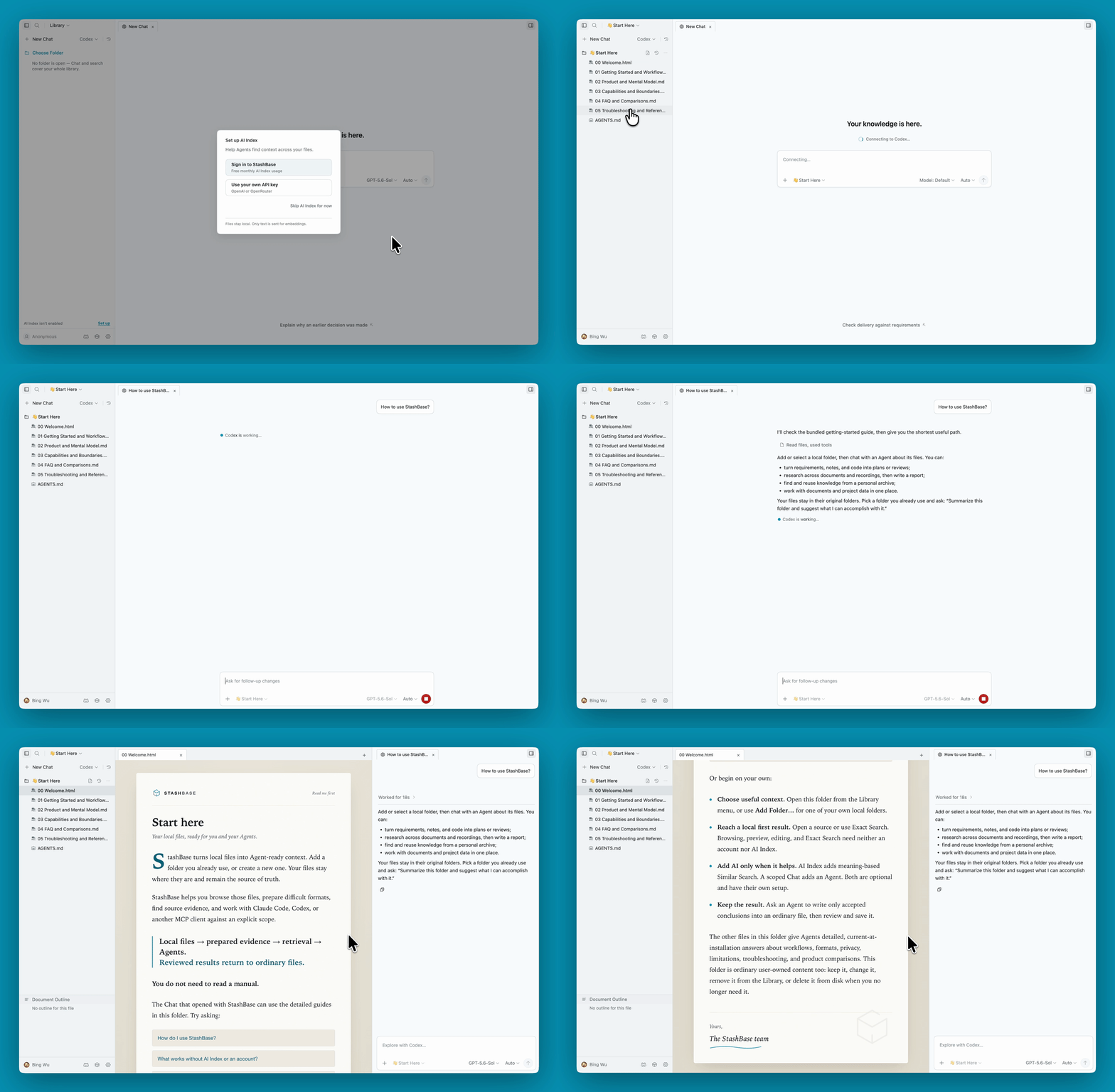
💡 Try It
StashBase's primary platforms are macOS 12+ (Apple Silicon) and Windows 10+ (x64). A community-supported Linux build is also available for x86_64 Debian 12+ / Ubuntu 22.04+.
macOS
Apple Silicon Macs running macOS 12 or later can install with Homebrew:
brew install --cask liliu-z/stashbase/stashbase
Or download the StashBase-*-mac-arm64.dmg from Releases, drag the app to Applications, and open it there. Published macOS artifacts are signed with Apple Developer ID and notarized by Apple.
Windows
- Download the latest
StashBase-*-win-x64.exeinstaller from Releases - Run the installer
- If Windows SmartScreen appears:
- Windows SmartScreen is a security feature that warns about files from the internet. Since you've confirmed the installer came from the official GitHub Releases page, it's safe to proceed
- Click More info → Run anyway
- Follow the installer prompts to complete installation
To update: Quit StashBase, then run the newer installer over the existing installation.
To uninstall: Open Settings → Apps, then select StashBase under Installed apps (Windows 11) or Apps & features (Windows 10).
Linux
For Debian 12+ or Ubuntu 22.04+ on x86_64, download the latest StashBase-*-linux-amd64.deb asset from Releases, then install it with apt so any required system packages are resolved:
sudo apt install ./StashBase-*-linux-amd64.deb
Run the same command with a newer package to update. To remove StashBase, run sudo apt remove stashbase.
For a portable build, download StashBase-*-linux-*.AppImage, make it executable with chmod +x, and run it directly.
First Launch
The first window opens with no folder selected and one reusable blank Chat, with the Gallery below its composer — ready-made Wikis you can download and open, each a real folder with a wiki built from it.
같은 카테고리 다른 리소스
Next.js
React 기반 풀스택 프레임워크. App Router와 서버 컴포넌트(RSC)가 사실상 표준이며, SSR·SSG·ISR을 한 프로젝트 안에서 다룬다.
shadcn/ui
복사·붙여넣기 방식의 React 컴포넌트 모음. npm 의존성이 아닌 코드 소유권 모델이라 커스터마이징이 자유롭다.
Supabase
PostgreSQL 기반 BaaS. Auth · Realtime · Storage · Edge Functions 통합.
Anthropic MCP
Claude가 외부 도구/데이터에 접근하도록 해주는 프로토콜 표준. 생태계의 근간.