blender-plugin
Scenario for Blender: AI images, video, 3D and PBR materials in the viewport, plus a local MCP server for agents. Blender 5.0+ extension, GPL-3.0-or-later.
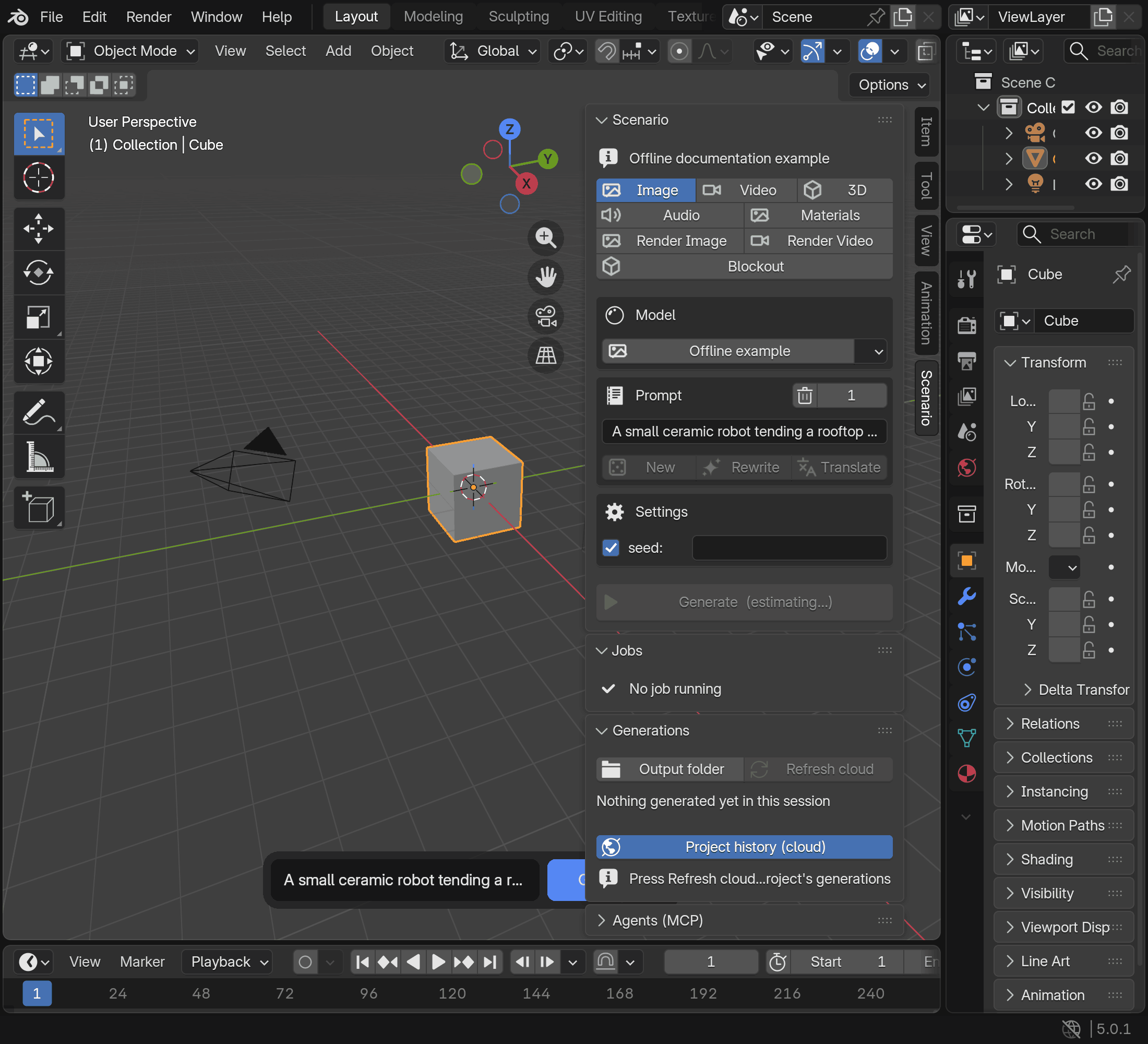
Experimental. Bring Scenario image, video, 3D, PBR material, audio and 360 environment generation into Blender. Use scene captures and selected meshes as inputs, explore camera moves, and turn a written scene description into a greybox layout with Blockout. A compact composer, sidebar, expanded Studio view and local MCP server provide access from your scene. This is a Python extension with pinned SDK dependency wheels, licensed GPL-3.0-or-later. Read the known limitations before relying on a workflow.
Requirements
- Blender 5.0 or later, as declared in the extension manifest.
- A Scenario account with API access, an API key and its secret. See Obtain your API key and Scenario help for current account requirements.
- An internet connection and Blender's Allow Online Access setting enabled under Edit > Preferences > System > Network before contacting Scenario.
- Scenario generations and prompt helpers consume Creative Units (CU). Review the displayed estimate before Generate; models, parameters and references affect the cost. See costs and the limitations above.
Install
Install from the official extension repository so that Blender can offer updates:
- Turn on Allow Online Access under Edit > Preferences > System > Network.
- Open Edit > Preferences > Get Extensions > Repositories, choose Add Remote
Repository and enter
https://blender.scenario.com/repo/index.json. - Find Scenario in Get Extensions and install it. It appears as "Scenario" in Blender's Add-ons list.
- In Scenario, open Organization settings > API Keys > Add API Key and follow the instructions to obtain the key and secret.
- Open Edit > Preferences > Add-ons > Scenario. Leave Credentials set to Saved in Blender, paste the key and secret, then press Test connection. Choose an Output Folder for generated files.
To install from a ZIP instead, download scenario-<version>.zip from the
releases page and keep
it zipped. Verify your download: for releases that include SHA256SUMS, save the
ZIP, scenario-handbook-<version>.html and SHA256SUMS together, check them with
sha256sum -c SHA256SUMS (macOS: shasum -a 256 -c SHA256SUMS) and, with the
GitHub CLI, run gh attestation verify scenario-<version>.zip -R scenario-labs/blender-plugin
(details). Historical v* releases have
neither. Drag the ZIP onto a Blender window, or use Edit > Preferences > Get
Extensions > Install from Disk, then continue with step 4. A ZIP copy does not
update itself; see Updates.
Updates
A copy installed from the official repository updates through Blender. Open Preferences > Add-ons > Scenario > Updates for update checks and Blender's native Get Extensions manager. Enable Allow Online Access before checking. Updates are installed only when you choose them in Blender. The repository offers releases from 0.10.0 on.
같은 카테고리 다른 리소스
Next.js
React 기반 풀스택 프레임워크. App Router와 서버 컴포넌트(RSC)가 사실상 표준이며, SSR·SSG·ISR을 한 프로젝트 안에서 다룬다.
shadcn/ui
복사·붙여넣기 방식의 React 컴포넌트 모음. npm 의존성이 아닌 코드 소유권 모델이라 커스터마이징이 자유롭다.
Supabase
PostgreSQL 기반 BaaS. Auth · Realtime · Storage · Edge Functions 통합.
Anthropic MCP
Claude가 외부 도구/데이터에 접근하도록 해주는 프로토콜 표준. 생태계의 근간.